Steve john
Thank you for this information, I appreciate your effort, please keep us update.
Steve john
Thank you for this information, I appreciate your effort, please keep us update.
Swapnil Shukla
how to solve error Exception encountered during context initialization - cancelling refresh attempt: org.springframework.beans.factory.UnsatisfiedDependencyException: Error creating bean with name ‘securityConfiguration’ defined in file [G:\mymobile\app\build\classes\java\main\com\mycompany\myapp\config\SecurityConfiguration.class]: Unsatisfied dependency expressed through constructor parameter 3; nested exception is org.springframework.beans.factory.UnsatisfiedDependencyException: Error creating bean with name ‘org.zalando.problem.spring.web.advice.security.SecurityProblemSupport’: Unsatisfied dependency expressed through constructor parameter 0; nested exception is org.springframework.beans.factory.UnsatisfiedDependencyException: Error creating bean with name ‘org.springframework.boot.autoconfigure.web.servlet.WebMvcAutoConfiguration$EnableWebMvcConfiguration’: Unsatisfied dependency expressed through method ‘setConfigurers’ parameter 0; nested exception is org.springframework.beans.factory.UnsatisfiedDependencyException: Error creating bean with name ‘org.springframework.security.config.annotation.web.configuration.OAuth2ClientConfiguration$OAuth2ClientWebMvcSecurityConfiguration’: Unsatisfied dependency expressed through method ‘setClientRegistrationRepository’ parameter 0; nested exception is org.springframework.beans.factory.BeanCreationException: Error creating bean with name ‘clientRegistrationRepository’ defined in class path resource [org/springframework/boot/autoconfigure/security/oauth2/client/servlet/OAuth2ClientRegistrationRepositoryConfiguration.class]: Bean instantiation via factory method failed; nested exception is org.springframework.beans.BeanInstantiationException: Failed to instantiate [org.springframework.security.oauth2.client.registration.InMemoryClientRegistrationRepository]: Factory method ‘clientRegistrationRepository’ threw exception; nested exception is java.lang.IllegalArgumentException: Unable to resolve the OpenID Configuration with the provided Issuer of "http://localhost:9080/auth/realms/jhipster
Matt Raible
It looks like you forgot to start Keycloak:
docker-compose -f src/main/docker/keycloak.yml up -d
Gian Migliore
hi Matt!!! thanks a lot for this tutorial!!.
I’m having problems when switching from keycloak to okta. When i start my app using the parameters (client id, client secret, issuer uri provided by okta) and sign in, the app redirects to a 404 page every time. I also tried replacing the default parameters on the application.yml file but have the same error by signing in.
In the jhipster log i found this:
2020-10-07 08:14:22.150 DEBUG 18172 — [ XNIO-1 task-26] p.c.c.r.CustomAuditEventRepository : Enter: add() with argument[s] = [AuditEvent [timestamp=2020-10-07T11:14:22.149850200Z, prin
cipal=anonymousUser, type=AUTHORIZATION_FAILURE, data={details=org.springframework.security.web.authentication.WebAuthenticationDetails@166c8: RemoteIpAddress: 0:0:0:0:0:0:0:1; SessionId: -oz_
_b57NJfzjORG9mNuQdWaECxsHLkUCC-jAV2a, type=org.springframework.security.access.AccessDeniedException, message=Access is denied}]]
2020-10-07 08:14:22.151 DEBUG 18172 — [ XNIO-1 task-26] p.c.c.r.CustomAuditEventRepository : Exit: add() with result = null
2020-10-07 08:14:22.154 WARN 18172 — [ XNIO-1 task-26] o.z.problem.spring.common.AdviceTraits : Unauthorized: Full authentication is required to access this resource
2020-10-07 08:14:22.157 WARN 18172 — [ XNIO-1 task-26] .m.m.a.ExceptionHandlerExceptionResolver : Resolved [org.springframework.security.authentication.InsufficientAuthenticationException:
Full authentication is required to access this resource]
How could i possibly solve this error?
Thanks
Gian
Matt Raible
First of all, you need to make sure your backend works with Okta. This involves registering your JHipster app with Okta and adding a “groups” claim that’s included in the ID token.
Once you have the backend working, you need to create another Native app in Okta for your Ionic app. For Ionic, you have to add a “groups” claim in the access token, as well as a number of other claims. Or you can create a CustomClaimConverter. This is all covered in the Ionic for JHipster docs.
Gian Migliore
I have already configured my app on okta following the steps you do in the tutorial. I added the claim in the default authentication server too. i’m bassicly copying all the steps you do in the tutorial, but the error is the same. I can not make the backend working with okta until now. I tried to include some images on this post but it gets detected as spam.
Gian Migliore
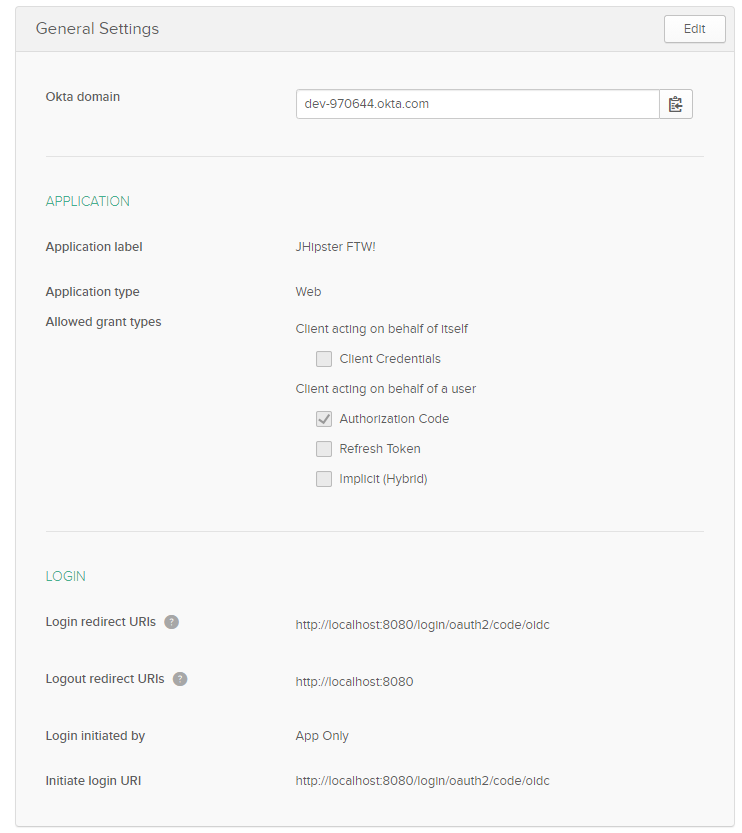
The app is configured as follows:
https://uploads.disquscdn.c…
Matt Raible
Can you try installing our Okta CLI and see if that helps?
After you’ve installed it, go into your JHipster app’s directory. After running okta register, run okta apps create and select JHipster. Then run source .okta.env, start your app, and you should be able to login.
If you’re on Windows, you should install WSL so the source command will work.
Matt Raible
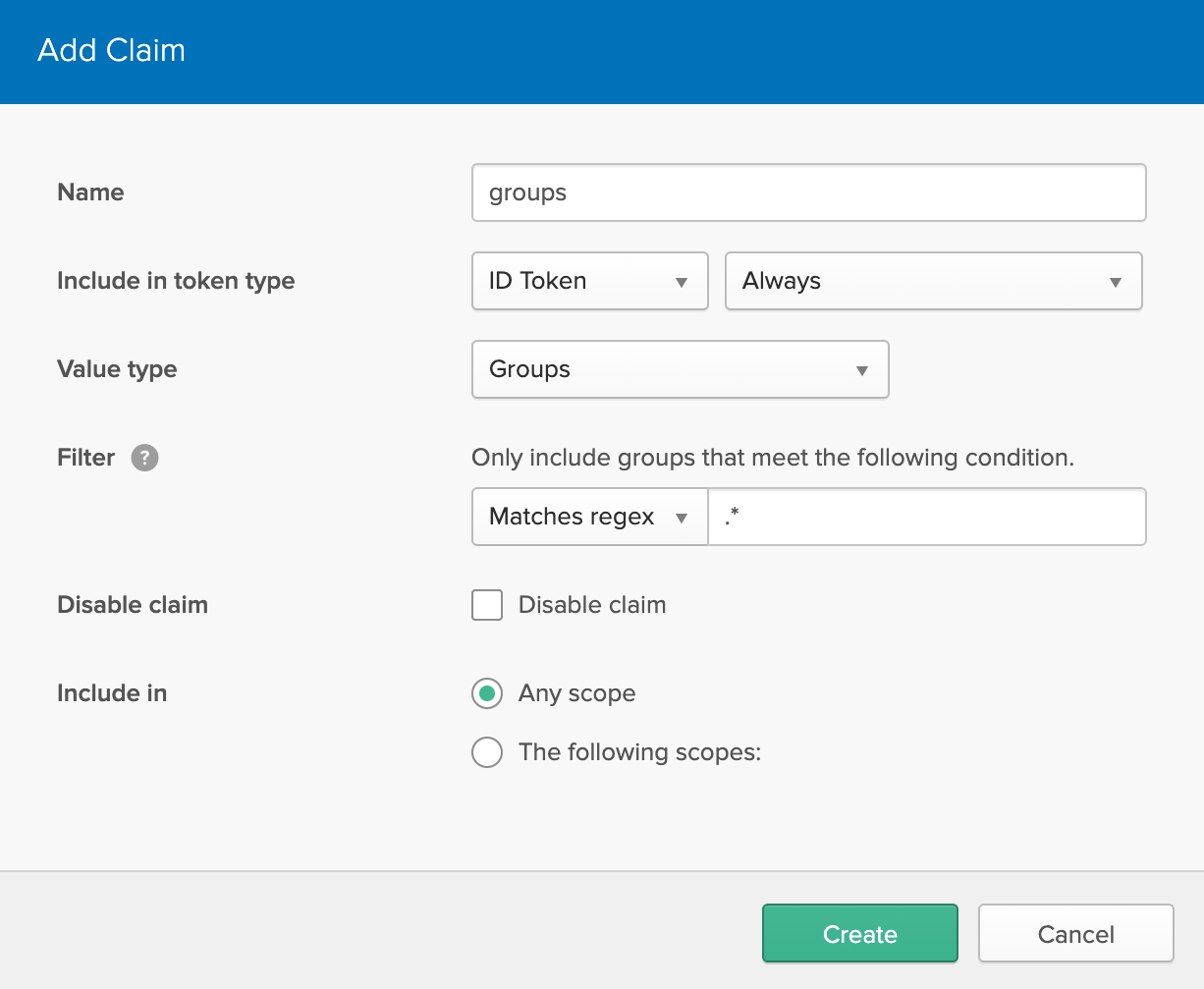
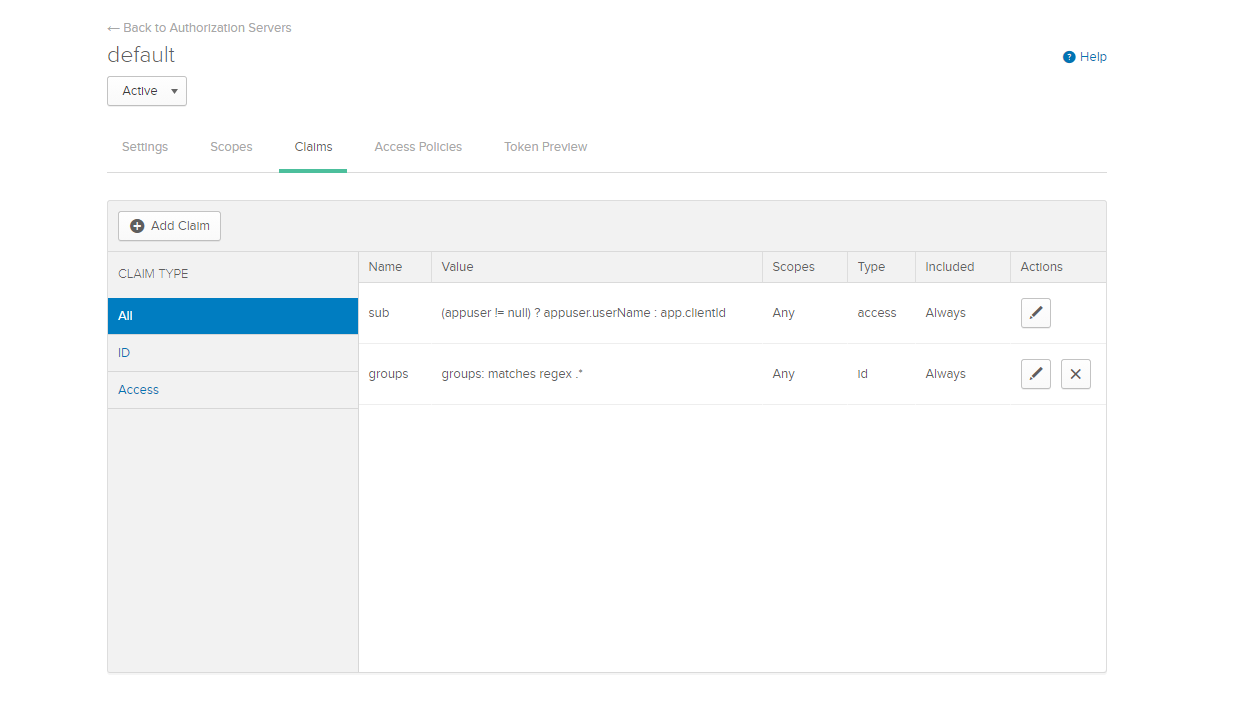
Did you add a groups claim to your ID token as specified in JHipster’s docs?
Gian Migliore
Yes Sir, i have it as follows:
https://uploads.disquscdn.c…
Matt Raible
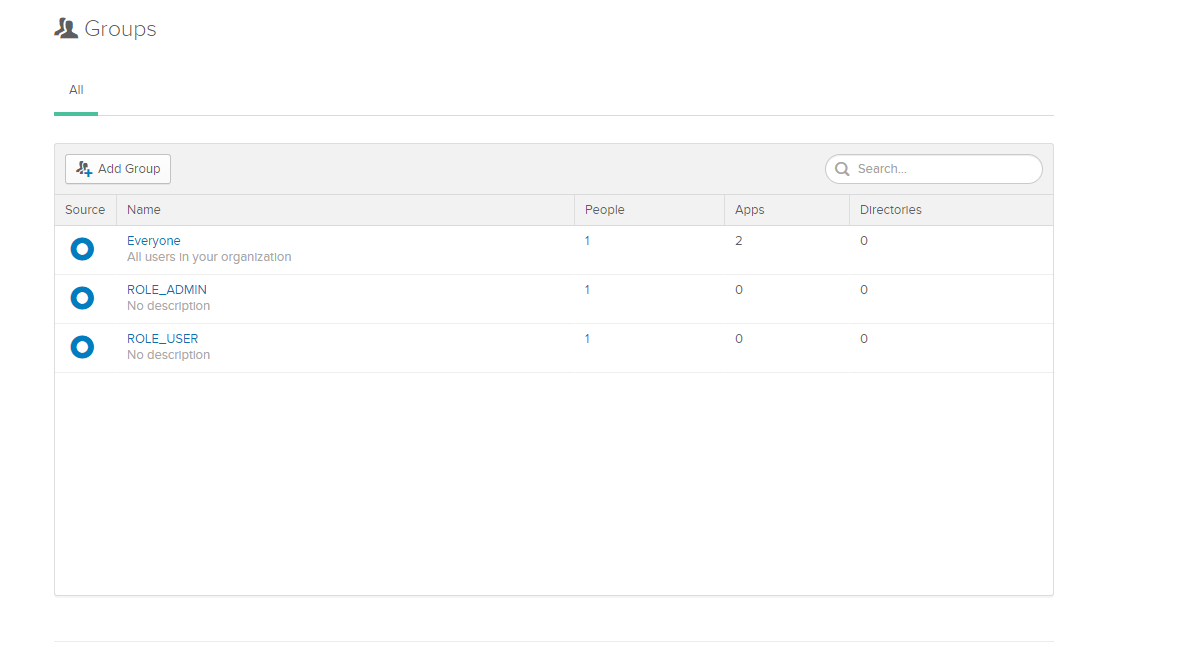
Did you create ROLE_ADMIN and ROLE_USER groups and put your user in both? Administrators need to be in both groups.
Gian Migliore
Yes sir, i have created both of them and added my user into both
https://uploads.disquscdn.c…
Gian Migliore
I´m trying to excecute the okta register command but it ends with a null error when i insert the verification code provided by email.
Logs:
C:\JHipsterProjects\app>okta register --verbose
An existing Okta Organization (https://dev-508224.okta.com) was found in C:\Users\giancarlo.migliore.okta\okta.yaml
Overwrite configuration file? [Y/n]y
Configuration file backed: C:\Users\giancarlo.migliore.okta\okta.yaml.20201007T1946
First name: Giancarlo
Last name: Migliore
Email address: giancarlo.migliore@###.###
Company: #####
Creating new Okta Organization, this may take a minute:
OrgUrl: https://dev-826662.okta.com
An email has been sent to you with a verification code.
Check your email
Verification code: 101141
An error occurred if you need more detail use the ‘–verbose’ option
null
I should try creating a new okta account? or maybe try deleting all the settings i already made in okta before trying this ?
Matt Raible
It looks like you have two Okta accounts now. The first (at dev-503224) should still work just fine. The one that CLI created is at dev-826662. Are you able to login to the one the CLI created? If not, then the “null” issue is probably something we need to fix. I’ve alerted the CLI team.
Matt Raible
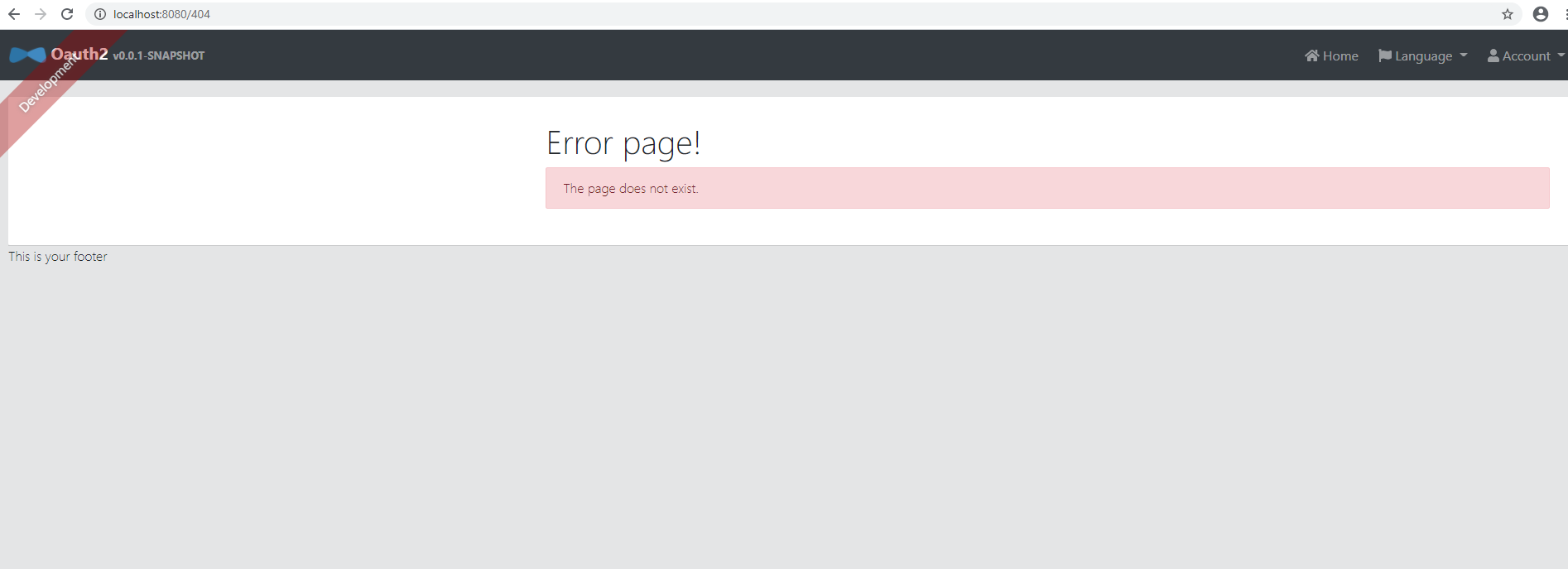
You’ve stumped me then. I’m not sure what the problem could be. Can you provide a screenshot of the 404 page you see after you sign in?
Gian Migliore
No sir, i can’t login with dev-826662. I don’t have any password for this account. Keep in mind that the dev-503224 account was already generated with CLI, and had the same null error and because of that i tried to excecute the command again and get the same error with the dev-826662 account
Gian Migliore
Sure, whe i start my app with the parameters:
SPRING_SECURITY_OAUTH2_CLIENT_PROVIDER_OIDC_ISSUER_URI=https://dev-970644.okta.com… <br> SPRING_SECURITY_OAUTH2_CLIENT_REGISTRATION_OIDC_CLIENT_ID=0oa7##########5d5 <br> SPRING_SECURITY_OAUTH2_CLIENT_REGISTRATION_OIDC_CLIENT_SECRET=hwTY9##############r4-bEwo ./gradlew
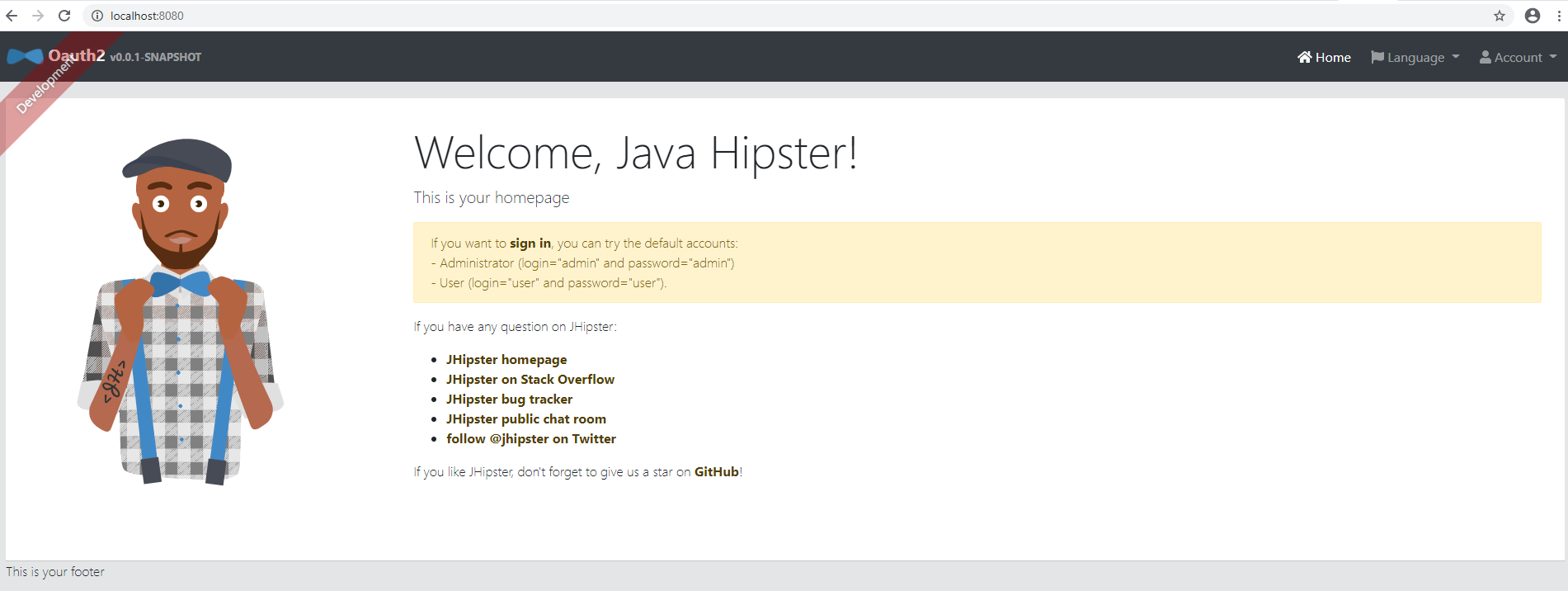
In the browser i can see the home page:
https://uploads.disquscdn.c…
but when i click the sign in runs into this:
https://uploads.disquscdn.c…
I have already tried to create the app all over again, so i believe there is some kind of problem with my okta account.
Matt Raible
Is there anything in your browser’s console log that indicates what page it was trying to reach before it displayed the 404?
Matt Raible
I just tried the instructions in this tutorial with the latest release of JHipster (v6.10.3) and I was able to login to Okta with the backend after I used the Okta CLI to run okta apps create and selected JHipster. I’m fairly confident Ionic for JHipster works too since I tested that last week.
Since you’re having issues with the app generation and configuration, it might be easiest to clone the GitHub repo for this blog post and configure it to use Okta.
Please let me know if you have success with this strategy.
Brandon Joseph
Hi Matt, I ran the command “npm i -g ionic@5.4.4 yo generator-jhipster-ionic@4.3.0” with no issues. However, when I go to run “yo-hipster-ionic”, I get an error that states
"Error jhipster-ionic
this.getAllJhipsterConfig is not a function"
Any advice on how to approach solving this error? Thanks so much for taking the time to create this post.